For Claude Code and Codex
From big idea to finished product, fast.
Break the idea into a plan your agents share, and they build it in parallel, each taking a task that’s ready.
Pay once · Windows, macOS and Linux · Refund within 14 days
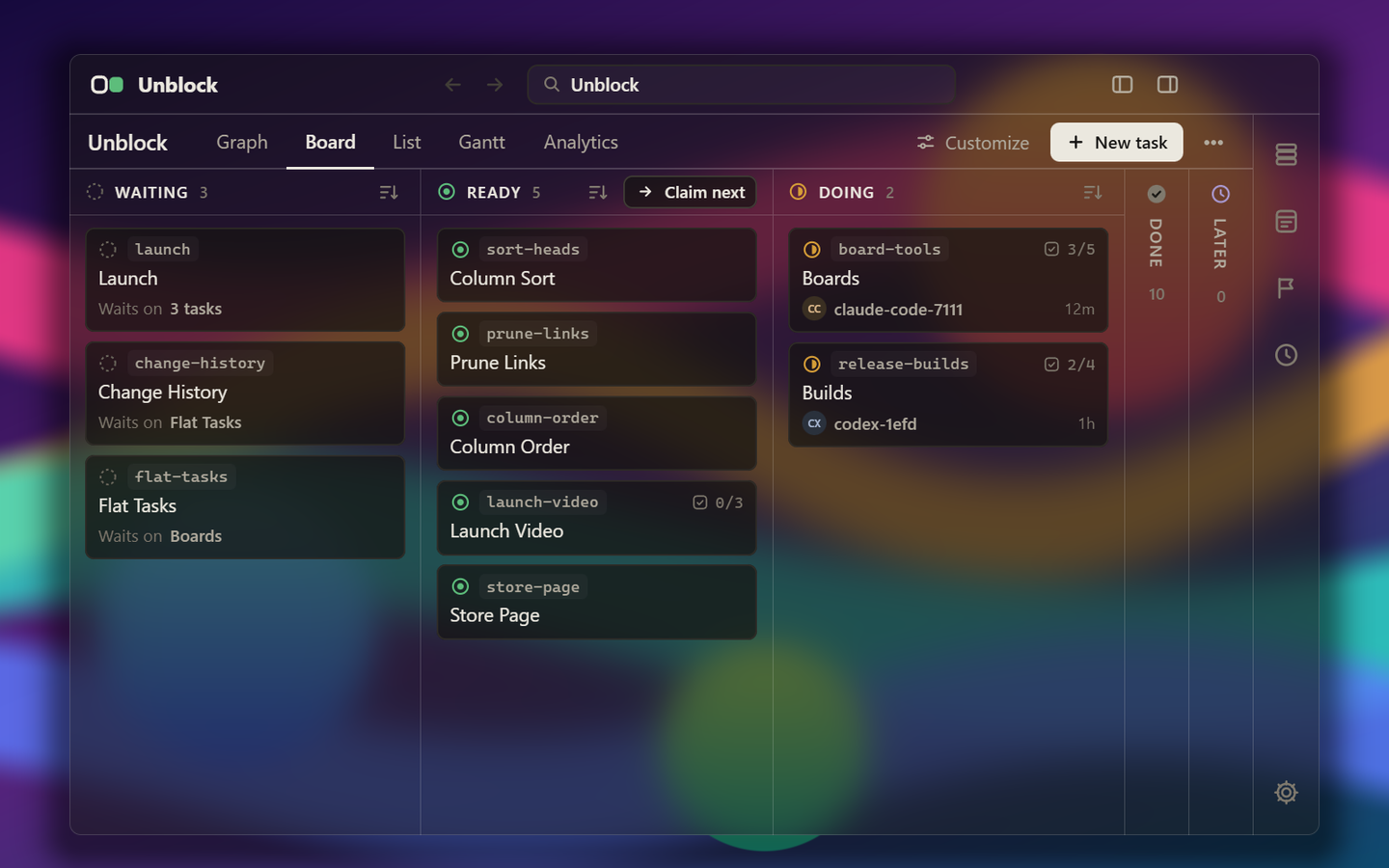
The one idea
Every agent always has a task to pick up.
A task is Ready as soon as everything it waits on is Done. Nobody has to move it there. So ten agents on one plan each find something to start, none wait on you, and no two do the same work.
- Waiting
- Something it’s waiting on isn’t Done yet.
- Ready
- Everything it was waiting on is Done. It got here on its own.
- Doing
- An agent has claimed it and is ticking off its steps.
- Done
- Finished, so the tasks waiting on it are no longer blocked.
How it works
From install to many agents at work.
-
Unblock-1.0.0-setup.exe01
Install Unblock and open it.
No account, and nothing to sign up for.
-
CCClaude CodeOn in every folder: the Unblock MCP server and /unblock skillCXCodexOff02
Flip the switch for your agent.
It adds the MCP server and the /unblock skill to Claude Code or Codex for every folder. Nothing is written into your projects.
Another agent? Copy a setup prompt and paste it in.
-
/unblock add teams and billingschemainvite-flowrolesstripeinvoicessettings-pageTwo tasks are Ready. Start a second agent.03
Tell your agent the idea.
It plans the work as tasks. Start more agents, and each takes one that’s ready.
The app
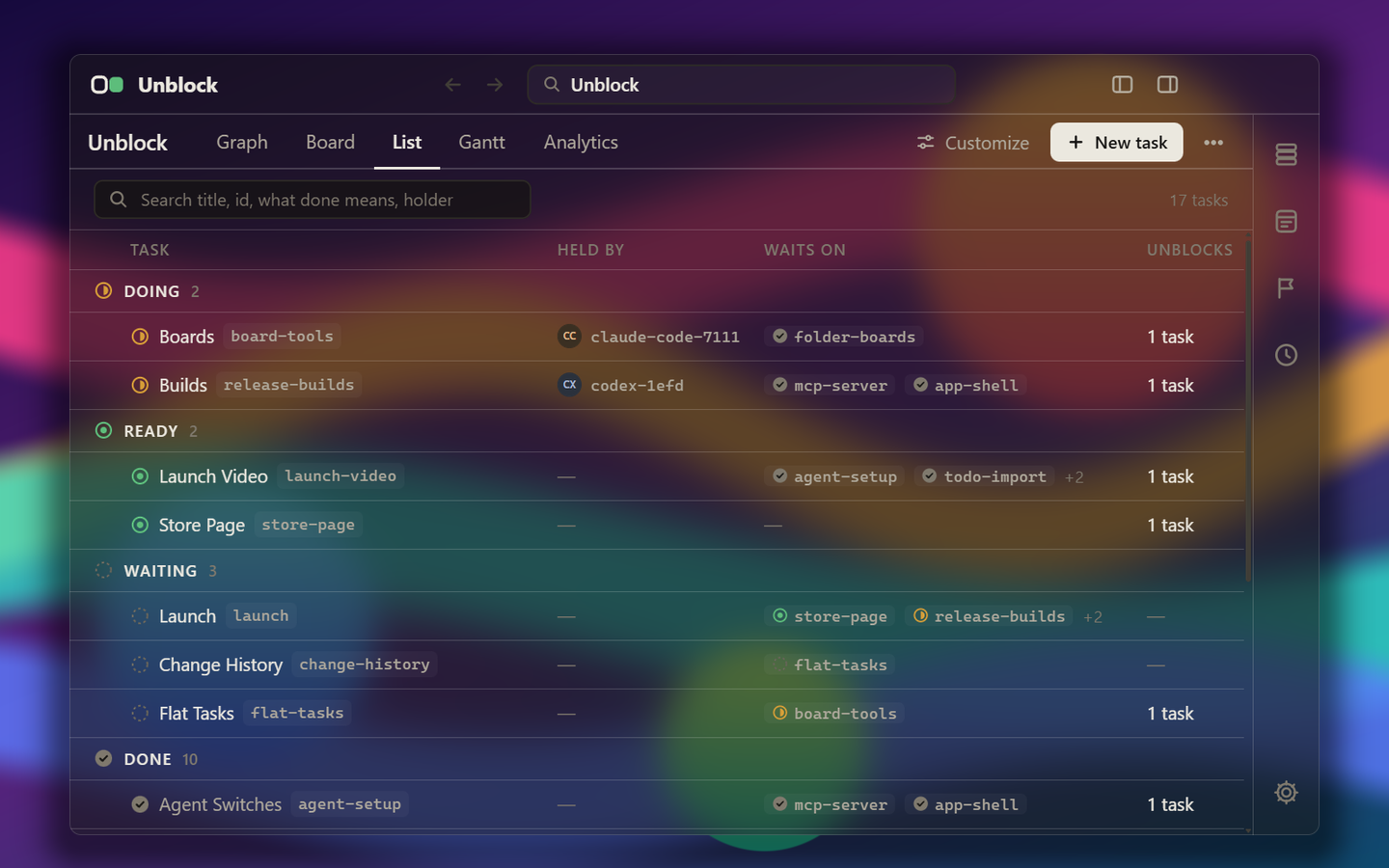
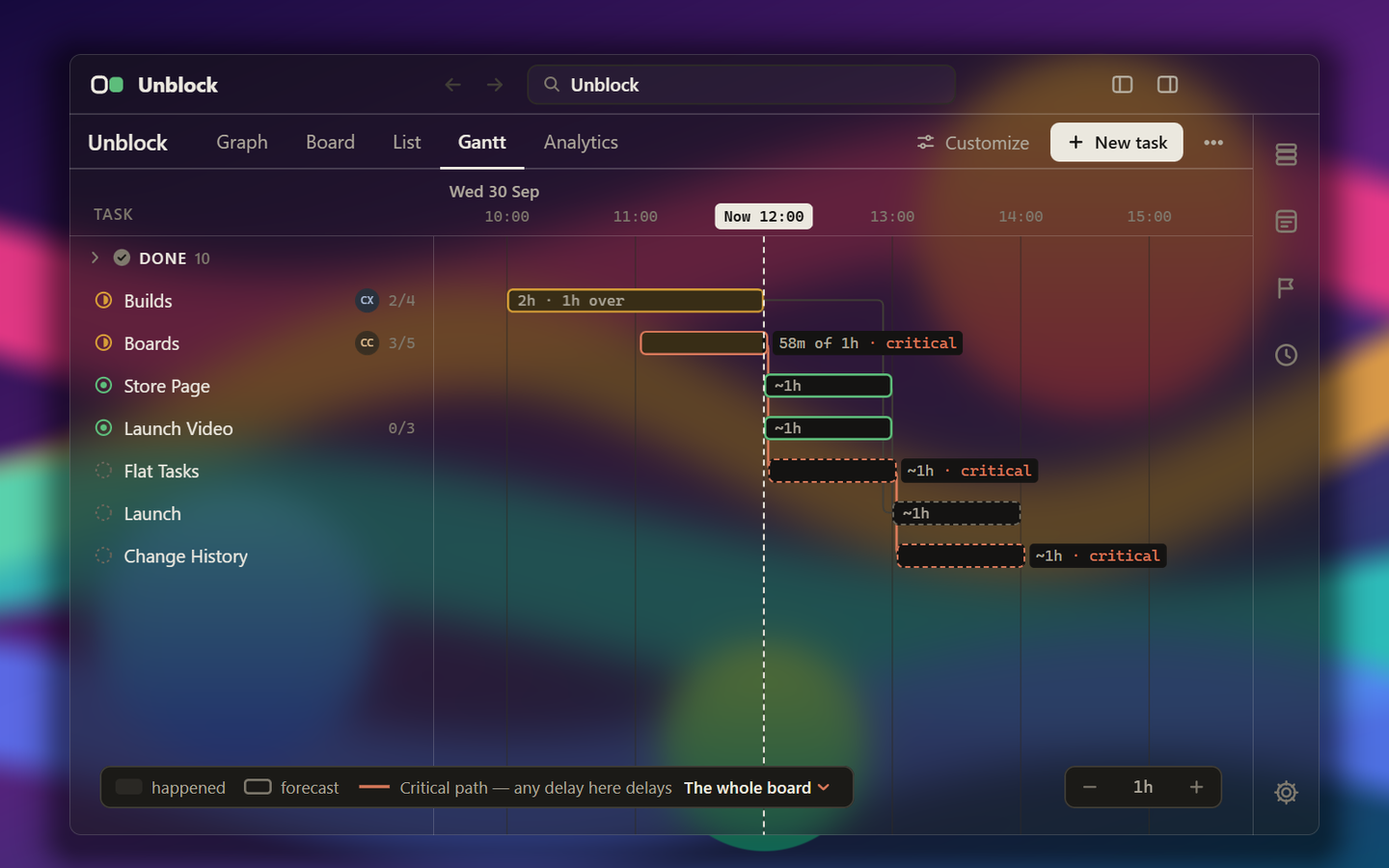
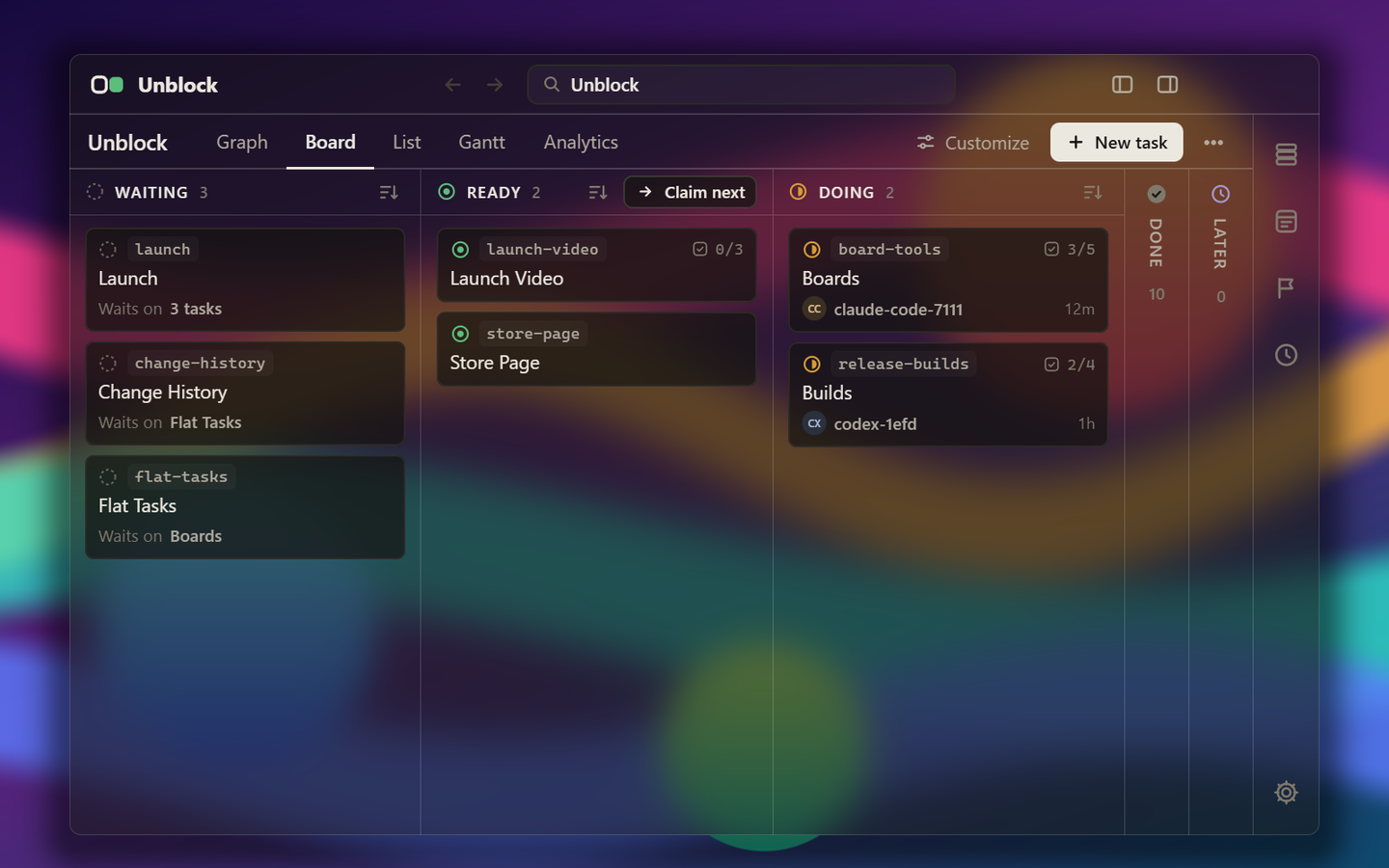
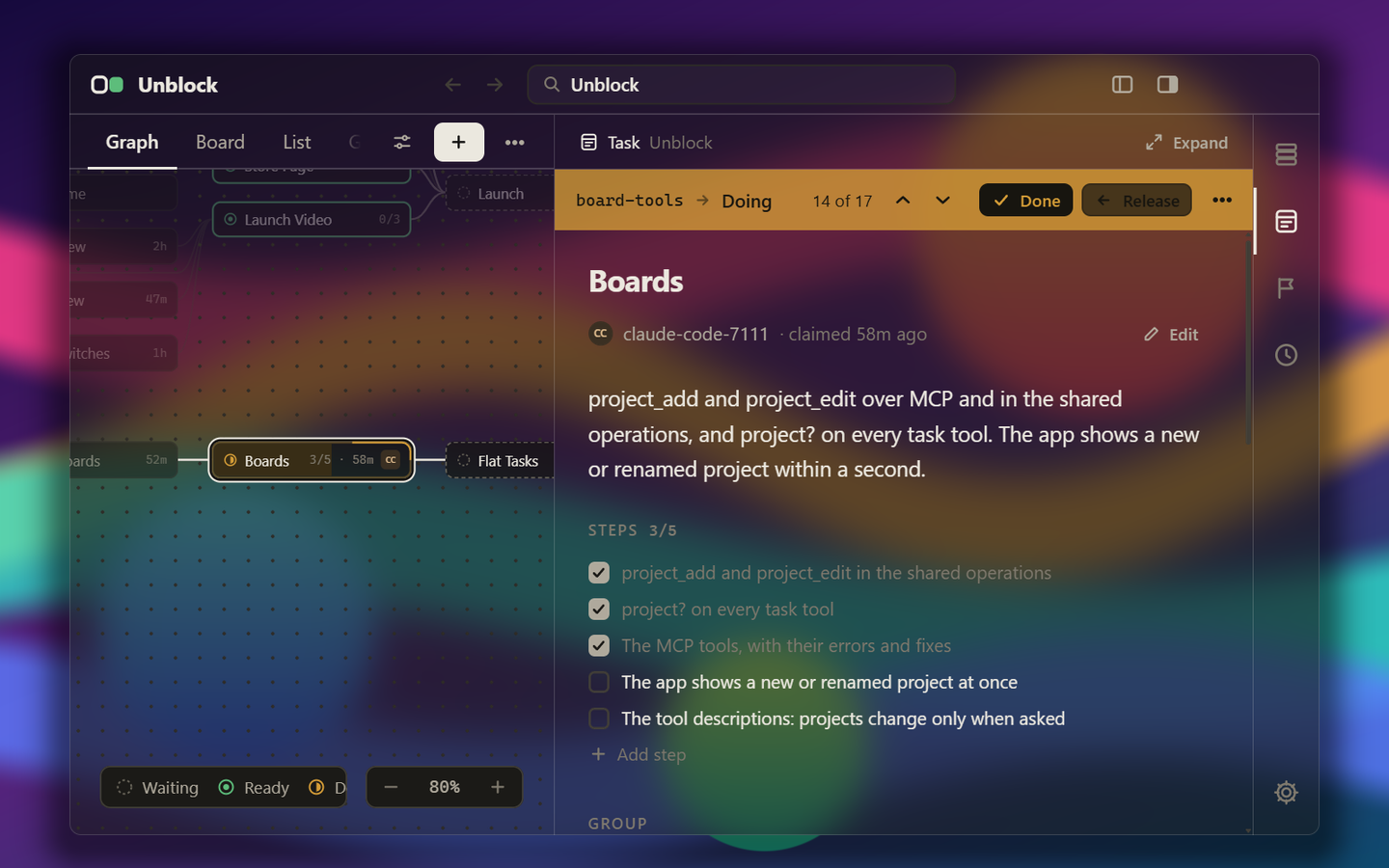
Watch the plan move.
Graph, board, list and Gantt, all live as your agents work. See-through on Windows 11 and macOS, solid on Windows 10 and Linux.
What’s in it
Built so many agents can work at once.
-
Two agents never claim the same task
Other agents can’t take a claimed task. If its agent crashes, the task frees up for another.
-
The plan outlasts the session
It lives in the app, not in one conversation, so a new session or another agent picks up where the last stopped, ticked steps and all.
-
Every change is kept
Each change records who, when and what it was before, so you can revert any one or restore the whole project to an earlier point.
-
See how fast it’s going
Analytics shows how much is done, how long tasks took against your estimates, and which agent spent the time.
Also a project for each folder, comments on a task, named groups in the graph, importing a todo/ folder, exporting to JSON, and light and dark themes.
483
tasks on Unblock’s own board.
Unblock was planned, built and shipped with Unblock, by Claude Code agents working the same plan at once.
Questions and answers
Before you buy.
Straight answers from the developer.
- Why is it unsigned?
- Signing costs about $220 a year, $99 of it Apple’s. At $5 a copy, I’d rather ship now. Each system needs one extra click the first time, and the steps are below.
- Are updates included?
- Yes, every 1.x release. The app doesn’t check for updates: your receipt always has the newest.
- What’s missing from this version?
- Agents don’t run inside the app yet: you start them in your own terminal or editor, and Unblock is the plan they share. No subtasks, no archive, no branches or merging, and nothing that reads your git status.
- Does it work with Cursor, Gemini CLI…?
- Any agent that speaks MCP should. Copy the setup prompt from the app, paste it into your agent, and it sets Unblock up in its own config. Claude Code and Codex are the two it’s tested with, so the rest are best-effort.
- Where does my data live?
- On your machine, in one SQLite file. No account, no sync, no telemetry, and nothing phones home.
- What if it isn’t for me?
- Get a full refund within 14 days.
First launch
Your system warns you once.
After that it opens like any other app. The full steps come with the download.
Instead of a signature, each installer’s SHA-256 is in checksums.txt.
- Run Unblock-1.0.0-setup.exe. SmartScreen says “Windows protected your PC”, because the file is unsigned.
- Choose More info.
- Choose Run anyway, and the installer opens.
It installs for your user only and adds unblock to your PATH, for new terminals. To check the file: certutil -hashfile <file> SHA256
- Open the disk image for your Mac (-mac-arm64 for Apple silicon, -mac-x64 for Intel), drag Unblock to Applications, and open it once before anything else.
- macOS 15 and later say Apple couldn’t verify it. Choose Done, then Open Anyway, next to Unblock’s message in System Settings › Privacy & Security.
- On macOS 14 and earlier, Control-click Unblock, choose Open, then Open again.
To check the file: shasum -a 256 <file>
The .deb takes the least setup.
sudo apt install ./unblock_1.0.0_amd64.deb
It adds Unblock to your app menu, links /usr/bin/unblock, and installs the AppArmor profile that Ubuntu 24.04 and later ask for.
The AppImage needs FUSE 2, which Ubuntu 22.04 and later no longer install:
chmod +x Unblock-1.0.0-x86_64.AppImage
./Unblock-1.0.0-x86_64.AppImage --appimage-extract-and-run
To check the file: shasum -a 256 <file>
Get it
Pay once. It’s yours.
Not for you? Get a full refund within 14 days.
- Needs Claude Code or Codex.
- Windows, macOS and Linux, 64-bit.
- No account. Your plan stays in one file on your machine.
- Every 1.x release included.